Your business numbers,
made clear.
Get practical analysis and personal guidance, supported by an Owner App that puts available sales, staffing, and product information on your phone. Both the app and ongoing help are included with membership.
Understand Your Sales
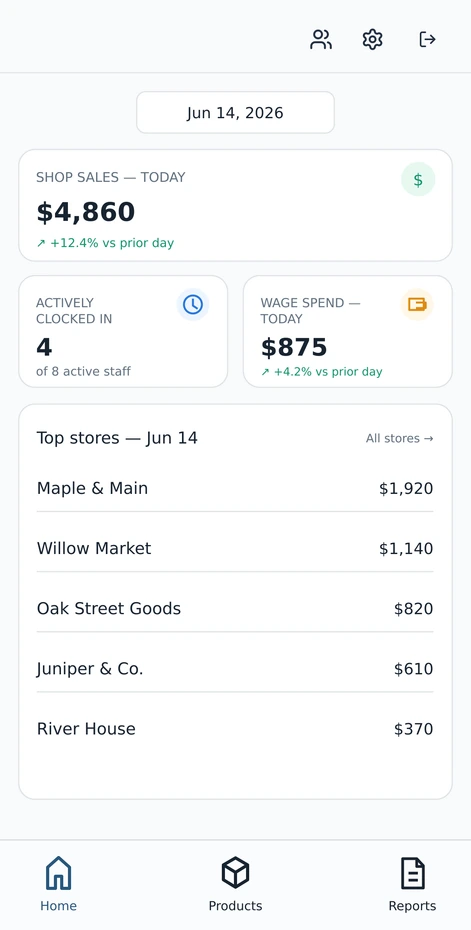
See how much you are selling, keep an eye on staff hours, and know which products are moving. We use this information to help you figure out what to do next.
- Direct Square connection
- Compare different locations
- Keep an eye on staffing costs
Automatic App Answers
Ask everyday questions about your business. AI uses the available information to give automatic answers. These answers are not individually reviewed by a person; they are a quick tool, not our monthly human-reviewed membership recommendations.
- "What are my best sellers?"
- "When are we consistently slow?"
- "What needs my attention today?"
A closer look at the Owner App
Your business doesn’t stop when you leave the shop.
Check in from your phone, understand the details, and get on with your day. These are actual Owner App screens with fictional names and sample figures—not customer results or a live demo.
Select any screen to view it full size in a new tab. Swipe to see all four.
01 Your day, at a glance.
See sales, staffing, and location performance without digging through separate reports.
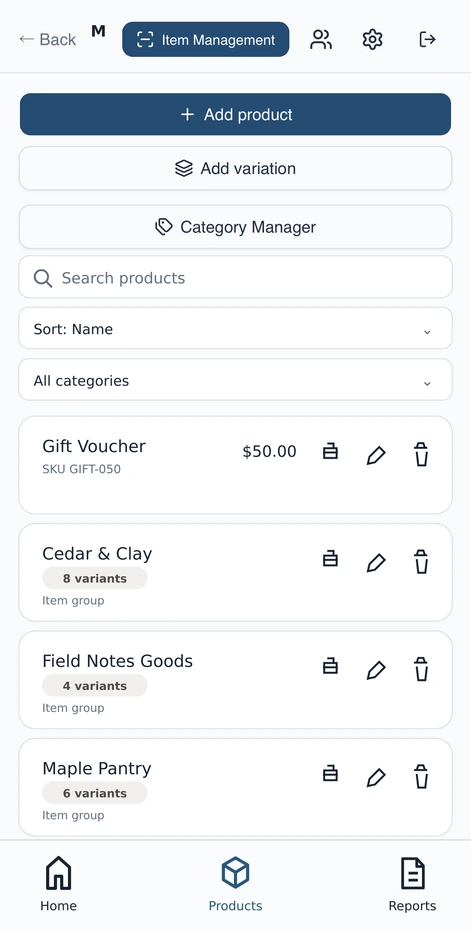
View full screenshot 02 Know your products.
Keep products, variations, and categories organized in a view built for everyday use.
 View full screenshot
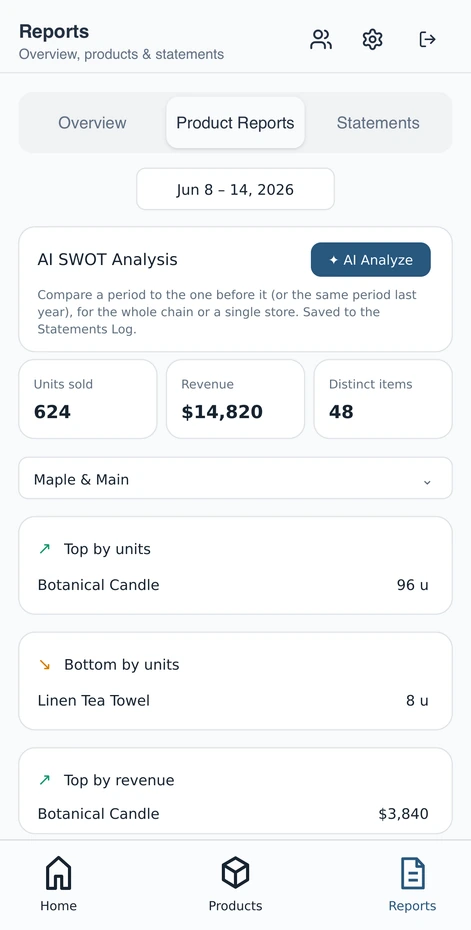
 03 See what’s working.
Compare product performance and spot best sellers and slower movers to make informed buying decisions.
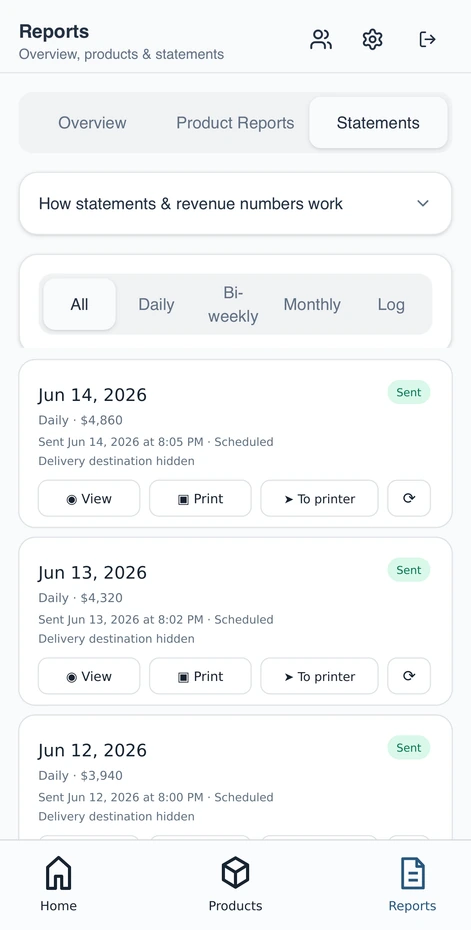
View full screenshot 04 Keep the bigger picture.
Review saved statements to understand how the business is performing over time.
 View full screenshot
Owner App Questions
Does this replace my current checkout system?
No. The Owner App connects to your existing checkout or sales system to show the numbers clearly. Square connects directly. For Clover and other systems, we check compatibility and available information first before setting you up.
What information can I actually see?
You can see sales, product reports, and past statements using the information available from your sales system. Staff hours and estimated staff costs depend on the records available, including hours recorded in the Staff App. We explain what each number includes and what is missing.
Are the numbers up to date?
The app updates frequently based on the information provided by your sales system connection, keeping you informed throughout the day.
What if my checkout system doesn't track staff hours?
The included Staff App lets your team record clock-ins and clock-outs. Staff hours and estimated staff costs need those records and the relevant pay information; they do not appear automatically just because your sales system is connected.
Will you show me how to use it?
Yes. We help you get started and show you where to look. You do not need to understand charts before talking with us. At your monthly review, we explain what the available numbers mean for your business goals.
Understand your numbers.
The Owner App is included in your $225/month membership alongside ongoing analysis, professional review, and personal support.